Best App for Writing a Book: 10 Popular Tools Compared
Finding the best app for writing a book can make your whole book-writing process more enjoyable and efficient right off the bat. Such an app gives you the features you need in one convenient place: brainstorming notes, chapter organization, and research management. It can also make the final steps of formatting or publishing less overwhelming.
What you need from an app will depend on where you are in the process. The right app can make each stage easier, from building a fantasy world or drafting your first novel to preparing a finished manuscript for publication.
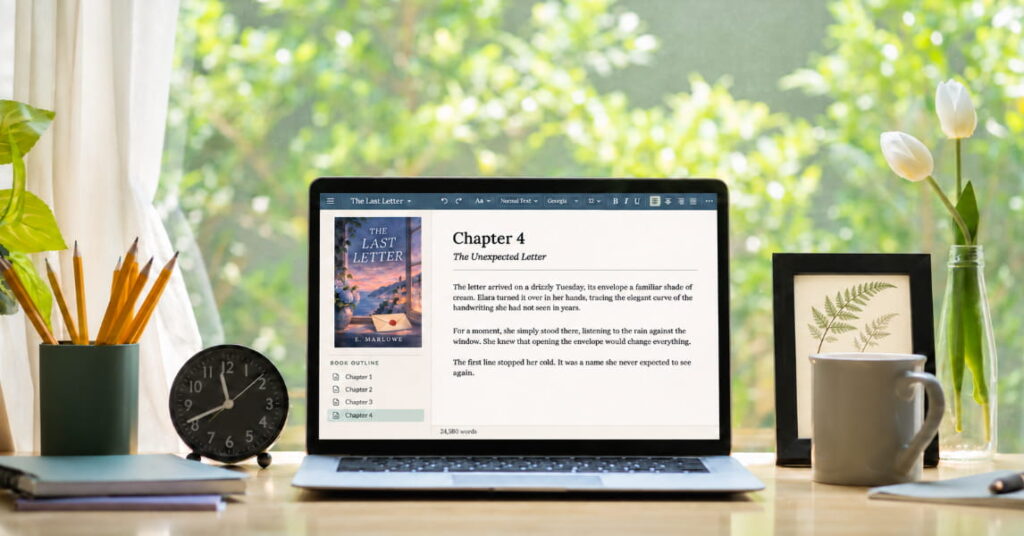
To find the apps that are truly worth your time, our team looked at (and tried) ten popular applications designed specifically for book writing. Our team has tested and compared these apps based on their manuscript handling abilities (chapter management, scene creation and tracking, writing features, revision tools, and file exports). We have also evaluated their pricing model, freemium accessibility level, and whether the paid subscription benefits are truly worth the cost.
Quick Comparison of the Best Apps for Writing a Book
| App | Best for | Price and free licenses | Limitations |
| Kotobee Author | Creating interactive ebooks | Free license available; paid lifetime licenses from $150 | It is designed for creating and publishing interactive ebooks, not for planning a novel scene by scene. |
| Scrivener | Detailed book planning | 30-day free trial; one-time purchase from $23.99 | Its many features can take time to learn. |
| Reedsy Studio | Free drafting and formatting | Free core tools; some extra features are paid starting at $5/month | Advanced outlining tools require a paid plan |
| Dabble | Cloud-based fiction writing | 14-day free trial, with plans starting from $19/month | It is mainly designed for fiction writers and requires a subscription after the trial. |
| Atticus | Writing and self-publishing | 30-day money-back guarantee; $147 one-time payment | It has no free trial, so you need to purchase it before fully testing it. |
| Novelist | Free mobile and web writing | Completely free | Its interface is less polished than many paid writing apps. |
| Ulysses | Focused Apple-device writing | Seven-day trial; $5.99/month or $39.99/year | It only works on Mac, iPhone, and iPad. |
| yWriter | Scene-by-scene planning | Free desktop software | Its interface looks dated and may feel less intuitive than newer apps. |
| LivingWriter | Organizing a manuscript, characters, and story notes | Free plan available; Pro Plan from $15/month | Its subscription may not suit writers who only need basic chapter organization. |
| Campfire | Worldbuilding and series planning | Free plan available; paid access from $12/month | Its many planning features may feel overwhelming for simpler projects. |
Note: Prices, trials, and plan limits can change. So please make sure to check each app’s pricing page before paying. Prices in this article were checked in November 2026.
How We Chose the Best App for Writing a Book
To compare the apps fairly, we followed the same process with each one. This included starting a sample book, creating chapters, adding notes, trying out the planning tools, and exporting a file whenever applicable. We assessed each application based on its ease of use, value for its price tag, and capabilities included in the free account.
The purpose of this comparison isn’t to find one universally great app for all writers. What works perfectly for a fantasy writer in terms of organization and planning might be overly complicated for someone drafting a short nonfiction book. So the best app is going to be the one that meets your particular needs and how you like to work.
Best Apps for Writing a Book
Writing apps serve different needs. Some help you plot a story and organize chapters, while others let you work across devices or format a finished manuscript. They also differ in price and export options. The following list gives you multiple options so you can compare and choose the best one for you.
1. Kotobee Author
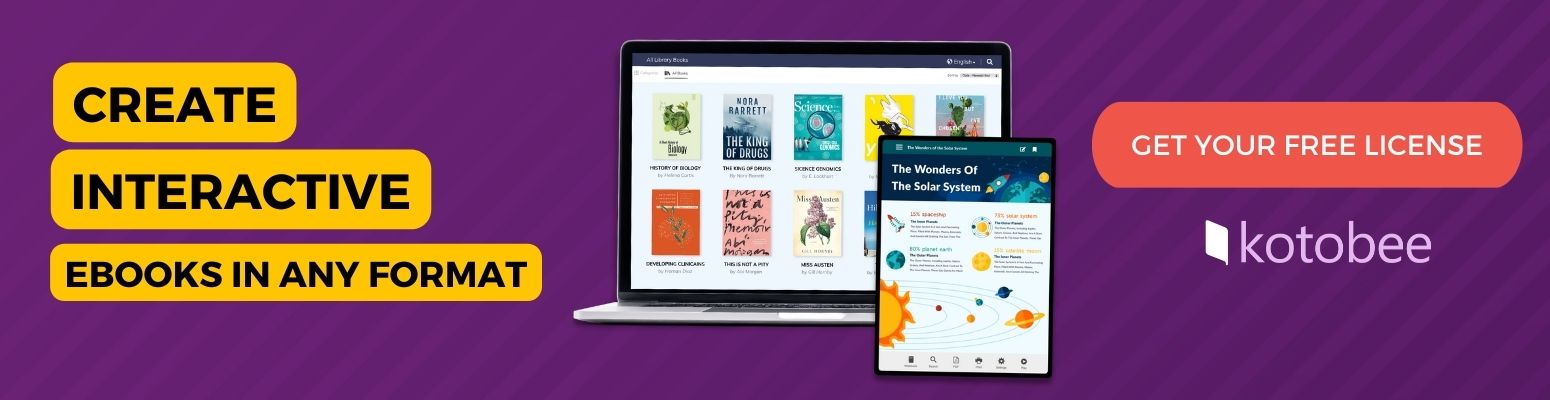
Kotobee Author sets itself apart from most apps in this review by being aimed at the post-draft phase rather than during the actual book writing. While you can still use it to create your manuscript, you’ll find it especially helpful in turning your finished manuscript into an interactive ebook.
This software provides a great deal of freedom compared to typical ebook creators. Not only can you embed pictures and videos in your text; you can include audio recordings, interactive quizzes, links, flashcards, games, and other engaging elements. You can also use its AI content generation tools to come up with anything you need, from text and questions to images and book widgets.
- Export options: EPUB, Mobi, PDF, Word document, HTML5 web app, desktop app, mobile app, and SCORM packages.
- Price and free access: The free license limits each ebook to 10 chapters or pages and 20 MB. Basic Lifetime plan starts at $150, while the Premium Lifetime plan starts at $300.
- Compatibility: Kotobee Author is available for Windows, macOS, and Ubuntu.
Verdict: Kotobee Author is a good fit for writers who want to create an interactive ebook, whether they’re starting from scratch or working with an existing manuscript. It’s particularly useful for authors who want to include multimedia and interactive elements in their books and publish them in different formats.
2. Scrivener

Scrivener appeals to writers looking for complete control over every single aspect of their writing projects, regardless of genre or complexity. With its powerful Binder feature, you can sort chapters, scene notes, research data, world-building facts, character descriptions, and background material, and you can move these materials around as your book develops.
What stood out most to us about Scrivener was its wide range of features, but it can feel more complex than a regular document editor. New users may need some patience to learn how the different features work together. Nevertheless, once you become familiar with the software, you’ll appreciate how useful it can be for writing lengthy novels or research-heavy nonfiction books.
- Export options: You can export your project as a Word document, PDF, or EPUB ebook. It also supports formats such as RTF, ODT, plain text, HTML, and Final Draft.
- Price and free access: Scrivener offers a one-time purchase starting at $23.99 for the app and $50.99 for the desktop versions. Its desktop version has a 30-day trial, counted only on the days you open the app.
- Compatibility: It is available for macOS, Windows, and iOS. You need a separate license for each platform.
Verdict: For long, detailed, or research-heavy books, Scrivener is worth the learning curve. Its planning tools offer more control than most apps, although these tools may feel unnecessary for writers who prefer a simple drafting space.
3. Reedsy Studio

Reedsy Studio is one of the easiest apps to start using. The writing space is simple, the chapter organization is clear, and the formatting tools make it possible to export a professional-looking EPUB or print-ready PDF without having to use technical publishing software.
Perhaps the most prominent advantage of Reedsy Studio is its generous Core plan, which is entirely free to use. You can write drafts, set personal writing goals, organize chapters, collaborate with co-authors/editors, and export manuscripts without subscribing. While this tier doesn’t give access to certain premium features (such as advanced writing statistics, unlimited writing history, and additional planning boards), it still meets basic demands. Paid Essential and Outline tiers are priced starting from $4.99/month and grant additional functionality.
- Export options: Reedsy Studio exports EPUB files and print-ready PDFs.
- Price and free access: Its core writing and formatting tools are free. Paid plans start at $4.99 per month and add unlimited version history, advanced writing statistics, custom goals, daily check-ins, and more detailed outlining tools.
- Compatibility: Reedsy Studio works on a web browser.
Verdict: A writer who wants to draft and format a book without paying upfront should start with Reedsy Studio. Its free core tools are generous, though it does not offer the detailed planning features some novelists need.
4. Dabble

Designed specifically for fiction writers, Dabble offers seamless switching between scene planning and novel drafting. Its Plot Grid (a chart for organizing scenes and plot points), detailed character notes, world-building tools, and cloud synchronization capabilities contribute significantly to this feature.
Overall, the app’s structure and usability feel intuitive and straightforward. Instead of setting up your own system, you can rely on preset structures and modules for planning your book, tracking your progress, and saving story-related notes efficiently.
- Export options: Export your manuscript as a Word document, to Google Docs, as a web file, or in Markdown. Dabble does not export PDF or EPUB files directly, although you can save your manuscript as a PDF using the Print option.
- Price and free access: Dabble offers a 14-day free trial. Plans start at $19 per month.
- Compatibility: It works in a web browser, on desktop, and on mobile devices.
Verdict: Dabble makes sense for fiction writers who want useful planning tools without Scrivener’s steeper learning curve. Its cloud-based setup works well across devices, but the monthly cost may not suit every budget.
5. Atticus
Atticus combines writing and formatting in one place to help authors prepare a book for self-publishing. You can write and organize chapters, customize the book’s appearance, and export files for ebook or print publication.
From our perspective, the true value of this software lies in its powerful formatting capabilities integrated straight into the writing experience. Atticus lets you preview the formatted book on different devices as you adjust its appearance instantly during your writing session. Also, the application is accessible both offline and online through its browser version.
- Export options: Export publication-ready EPUB and PDF files. You can also download a DOCX copy for editing or backup, although it keeps only basic formatting.
- Price and free access: Atticus costs $147 as a one-time payment. It has no free trial, but it includes a 30-day money-back guarantee.
- Compatibility: It works in a browser on Windows, macOS, Linux, and Chromebooks. It can also be installed as a web app on desktop and mobile devices.
Verdict: Atticus is a strong choice for self-publishing writers who want to format their book for print and digital publishing. You can write your draft in it too, but its formatting tools are where it stands out.
6. Novelist

Out of all the apps listed here, Novelist boasts one of the strongest free options for its simplicity and full features without ads, subscriptions, or in-app purchases. This writing app allows you to manage writing projects, the different chapters, characters, settings, and notes, all in one place and entirely for free.
For writers who work on phones/tablets frequently, Novelist is a dream application because everything can be accessed right from the app. Furthermore, the product enables multiple users and offers several useful features, including project outlines, chapter-by-chapter breakdown, writing streaks and daily/weekly/monthly targets, and templates for multi-book series.
While it lacks certain features (like print-ready PDF export and real-time collaboration) offered by other competitors, Novelist provides an impressively wide spectrum for a free app.
- Export options: Export your book as an EPUB, ODT, or HTML file.
- Price and free access: Novelist is completely free, with no subscriptions, ads, or in-app purchases.
- Compatibility: It is designed for writing on phones and tablets, with a web app available in a browser.
Verdict: With no subscriptions, ads, or in-app purchases, Novelist is one of the strongest free options in this comparison. It gives writers helpful planning and organization tools, even if its interface is less polished than paid alternatives.
7. Ulysses

Ulysses appeals to writers prioritizing a distraction-free workspace and streamlined process over elaborate story-planning capabilities. The interface keeps distractions to a minimum, while still offering writing goals, organization folders, export options, and automatic iCloud sync.
Another notable advantage is its ability to synchronize files between devices. If you write in brief spurts throughout the day using both a phone and a computer, this tool lets you pick up where you left off seamlessly.
- Export options: You can export your book as plain text, HTML, EPUB, PDF, or DOCX. The software also supports Rich Text, Markdown, TextBundle, and TextPack files.
- Price and free access: Ulysses costs $5.99 per month or $39.99 per year in the US, with a seven-day free trial.
- Compatibility: It only works on Mac, iPhone, and iPad. Writers who use Windows or need detailed character and world-building tools may prefer another option.
Verdict: Apple users looking for a calm, distraction-free writing space would enjoy using Ulysses. However, it offers fewer planning tools than some other apps, requires a subscription, and isn’t available on Windows.
8. yWriter
yWriter takes a practical approach to novel writing. Breaking down each book into chapters and scenes, it gives you separate sections to track characters involved, objects used, story points, and setting information. The application is not particularly sophisticated, but it does the job effectively.
While its interface appears relatively old-fashioned compared to some other apps, it provides useful planning tools for organising your story. You can also rearrange the scenes to see how the story flows.
- Export options: Export your work as text, RTF, DOCX, HTML, or EPUB. yWriter can also create LaTeX files for print-layout workflows.
- Price and free access: yWriter is completely free of charge.
- Compatibility: It is desktop-based software.
Verdict: yWriter is a useful free option for writers who want to plan their books scene by scene. Its interface looks dated, but its chapter, scene, character, and story-tracking tools give fiction writers a practical way to organize a draft without paying for a subscription.
9. LivingWriter
LivingWriter keeps your manuscript right next to notes about characters, settings, and plot points. It also shows which chapters those story elements appear in, so you can keep track of them as you write.
We found the software to be a good balance between pure writing and detailed planning capabilities. On the one hand, LivingWriter provides sufficient organizational structure for drafting a novel; on the other hand, it isn’t too overwhelming compared to specialized planning tools that dissect stories into hundreds of aspects.
- Export options: You can export your manuscript as a PDF, DOCX file, EPUB, or Amazon KDP file. The free plan includes PDF export, while Word export requires a paid plan.
- Price and free access: The free version allows one manuscript of up to 25,000 words. The Pro plan costs $15 per month, while the Pro + AI costs $30 per month. A one-week free trial is also included for paid plans.
- Compatibility: LivingWriter is cloud-based, so you can access your work across devices.
Verdict: The main strength of LivingWriter is keeping your manuscript, characters, and story notes connected in one workspace. You can easily check a character’s background or revisit an earlier plot point while drafting a new scene. With that said, the subscription price can be difficult to justify if basic organization is all you need.
10. Campfire

Focused on authors who need extensive world-building capabilities, Campfire gives you separate spaces to manage characters, locations, timelines, cultures, magical abilities, relationships, and all kinds of relevant information.
Such a large number of features is highly valuable for writing fantasy, sci-fi, historical fiction, and book series. Everything is stored centrally within one application, making navigation simple and intuitive. At the same time, the separate modules for maps, timelines, calendars, and magic systems may be perceived as redundant for short, straightforward novels.
- Export options: Compile a manuscript as a publication-ready EPUB or PDF. You can also export individual files as DOCX, PDF, RTF, or HTML.
- Price and free access: Campfire’s free plan lets writers try every part of the app, but it limits the number of words, characters, timelines, maps, and other items they can create. Paid plans start at $12 per month.
- Compatibility: Campfire is browser-based and can be used on desktop and mobile devices. It also has the CF Creators app for iOS and Android phones; however, the app has fewer features.
Verdict: Detailed fantasy, science fiction, historical fiction, and series projects are where Campfire performs best. Shorter or more straightforward books may not need its large collection of worldbuilding modules.
Which Book-Writing App is Right For You?
When choosing a book-writing app, your best bet is to look for the option that supports the parts of the process that matter most to you. As we’ve seen so far, some apps focus on drafting and organizing chapters, scenes, and research, while others offer tools for plotting, character development, worldbuilding, ebook interactivity, or formatting for publication.
To narrow down your options, here’s when to use each app:
- Kotobee Author if you want to turn a finished manuscript into an interactive ebook with multimedia and quizzes, and get flexible export options.
- Scrivener if your book has many chapters, scenes, or research notes that you need to keep organized.
- Reedsy Studio or Novelist if you need a capable free option for drafting, organizing, and formatting your book.
- Dabble or LivingWriter if you want cloud-based writing and planning tools that stay available across devices.
- Atticus if you plan to self-publish and want to write and format your book in the same app.
- Ulysses if you use Apple devices and prefer a clean, distraction-free writing space.
- yWriter if you want a free, practical tool for planning your novel scene by scene.
- Campfire if you are building a detailed world, especially for fantasy, science fiction, historical fiction, or a book series.
Conclusion
Our advice to you is to start evaluating the different writing apps with a practice project featuring one chapter. You can then play around with the application’s interface, assess usability on your preferred device(s), and experiment with exporting.
Ultimately, each writer needs a tool matching their approach to writing. Some prefer straightforward writing space; others want elaborate planning tools to help with organizing scenes or formatting a finished manuscript. There are also those who need to build fictional universes from scratch.
Before switching completely to a new platform, wait until you’re sure that it will be the right fit. Check whether it works well on your usual device, keeps your notes organized, and lets you export your work in a format you can use later. The best app for writing a book should make the process easier, not give you more to manage.
More from Our Blog