How to Publish an Audiobook of Your Own
Let’s face it: the rapid pace of today’s life leaves us little time to sit down, hold a book in our hands, and actually read it. Maybe that’s why audiobooks have become so popular lately, with an estimated 157 million people listening to them in the US alone! This creates a huge opportunity for authors looking to widen their fan base and increase their profits.
Yet, when thinking about how to publish an audiobook of your own, many questions start to appear. For instance, you might be wondering: How can I turn my manuscript into an audio script? Or where can I find a professional narrator without breaking the bank? And how much is all of this going to cost?
Well, the good news is that we have in this guide all the answers you might be looking for, and then some.
Is Self-Publishing an Audiobook Really Worth It?
The short answer is: yes, definitely. The long answer is that, given their popularity, audiobooks can help you reach new audiences and increase your income. Here are a few points that support this claim:
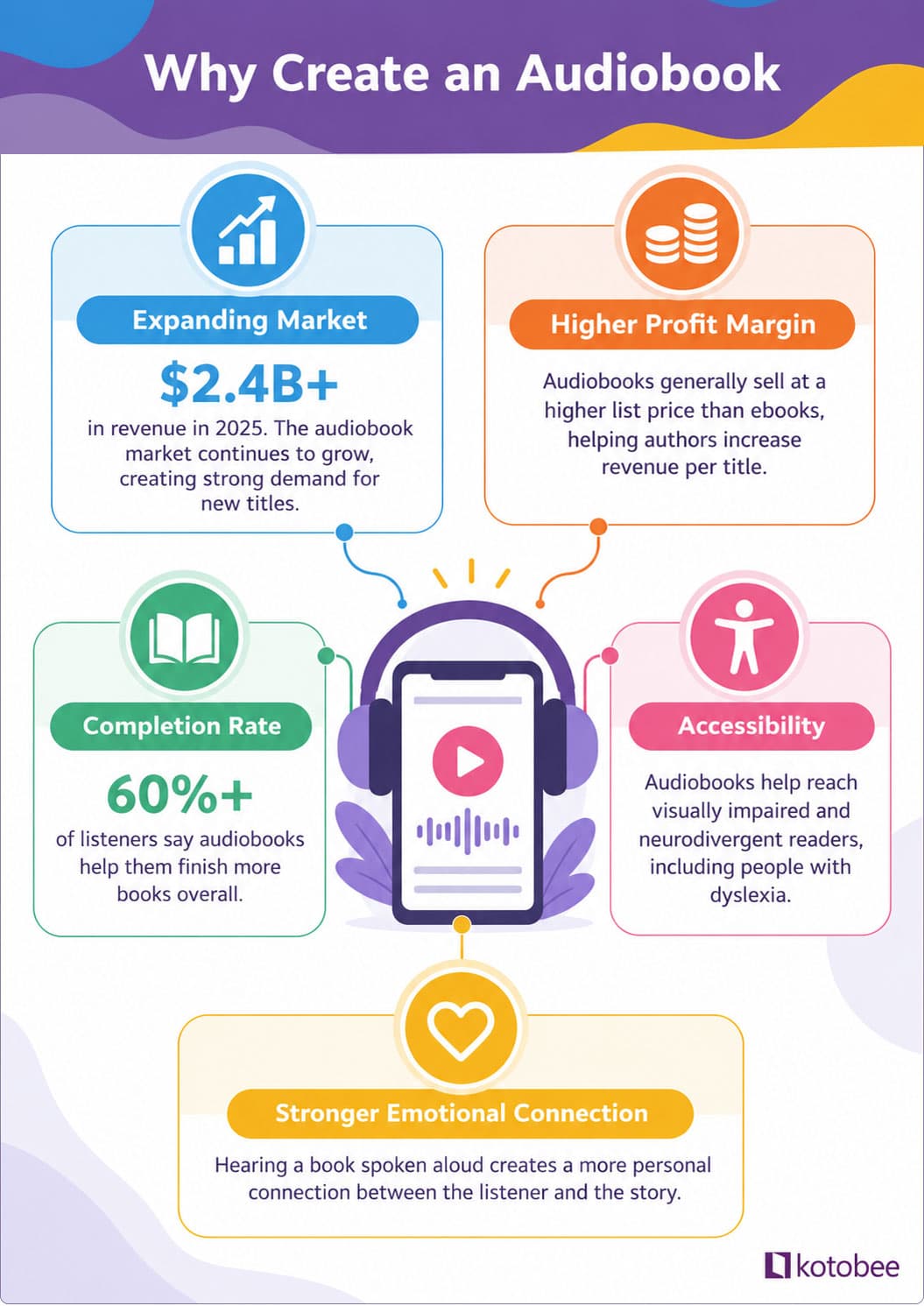
- Expanding market: The audiobook market has seen double-digit annual growth over the last decade; it reached over $2.4 billion in revenue last year alone. This reflects a massive, long-term shift toward audio consumption among readers.
- Higher profit margin: Audiobooks generally sell at a higher list price than ebooks (often $15–$25 compared to $3–$9 for ebooks).
- Reading Completion rate: Studies show that over 60% of listeners say audiobooks help them finish more books overall. Because they can listen while commuting, doing chores, or completing other everyday activities, audiobooks make it easier to fit more reading into the day.
- Accessibility: Audiobooks offer a great way to reach visually impaired and neurodivergent readers, such as those with dyslexia.
- Stronger emotional connection: Hearing a book spoken aloud creates a personal connection between the listener and the story, especially when the author narrates it themselves. Their authentic voice can build a more loyal, long-term fanbase for future releases.
How to Publish an Audiobook
At first glance, publishing an audiobook might look like a complicated process that requires a huge budget. But when broken down into actionable steps, you’ll find that even those with no prior experience in this field can produce high-quality audiobooks. Below is everything you’ll need to get started.
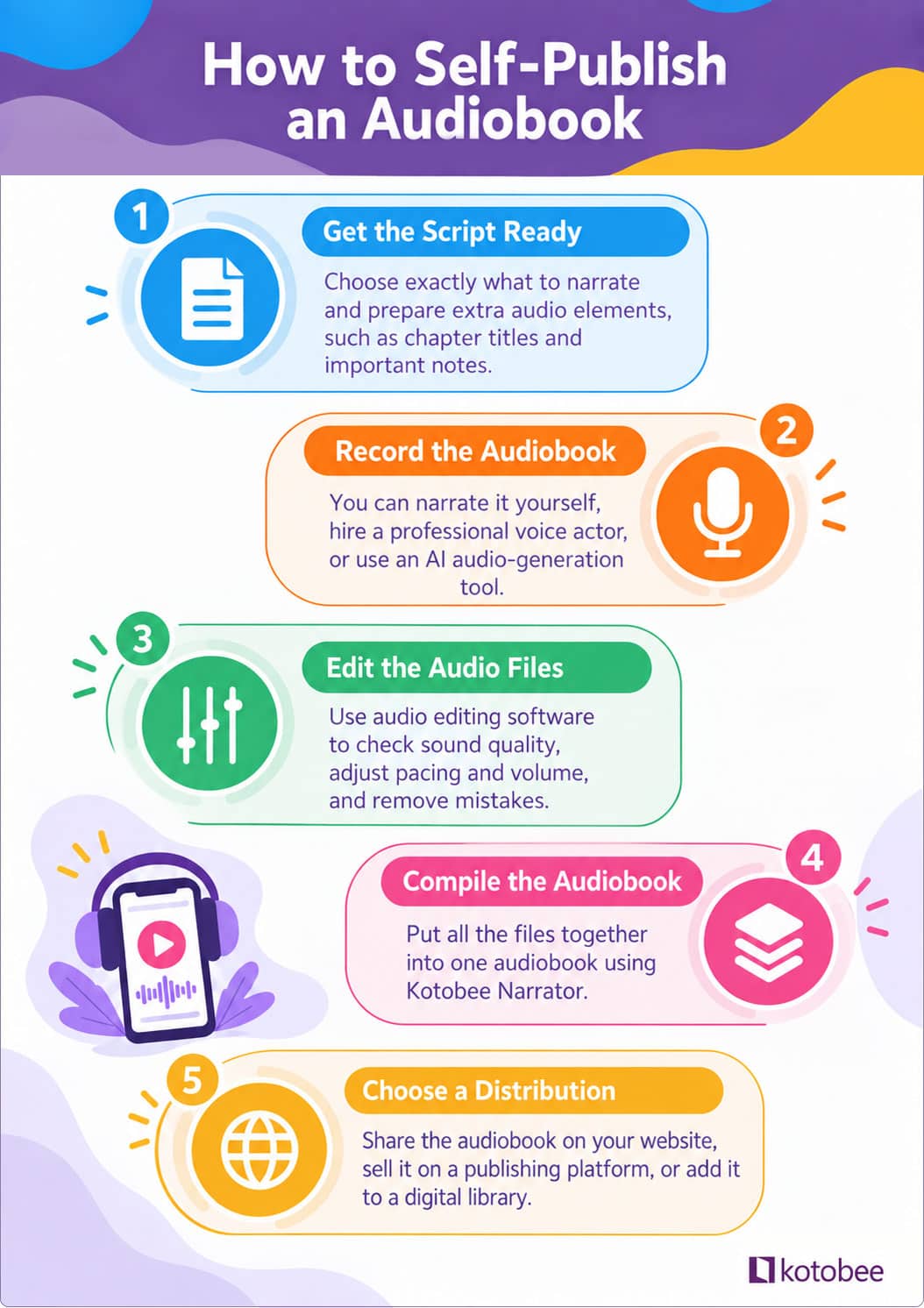
1. Getting the Script Ready
If you already have a manuscript, then the first thing you need to do is make sure it can easily be narrated. This means choosing what exactly to narrate and adding extra audio elements. Here are the main things you need to focus on:
- Decide what content to include or omit: Not every element of a printed book works well in audio. Review your manuscript to determine what adds value and what should be dropped. Keep Author’s Notes for context, but consider skipping or adapting footnotes, complex appendices, and acknowledgments. If you’re narrating yourself, rewrite the “About the Author” section in the first person so reading about yourself in the third person doesn’t sound awkward.
- Prepare the opening and closing credits: Draft a short script for your audiobook’s opening and closing tracks, ensuring the title, author, and narrator names match your cover art and metadata exactly. For the opening credits, use a simple formula like “This is [Book Title], written by [Author Name], read for you by [Narrator Name].” And for the closing credits, end with “You have been listening to [Book Title], written by [Author Name], and read for you by [Narrator Name]. Copyright [Year].
- Format chapter headings clearly: Include a short, spoken chapter announcement at the top of every chapter’s script (such as “Chapter 1” or “Chapter 1: Introduction”). Keep these heading announcements consistent across all files so listeners always know where they are in the book.
- Include a description of important visuals: If you have charts or illustrations that are essential to the content, then you might need to thoroughly describe them. For example, instead of reading a complex table row-by-row, summarize the core insight directly in prose. You can say something like, “As shown in the sales growth chart, revenue doubled in the third quarter from two million to four million dollars”.
- Create a pronunciation guide: This is especially important if you’re going to hire a voice actor and your script has unusual character names, foreign languages, medical terms, or fictitious locations. Your guide can look something like this:
| Term | Phonetic Spelling | Audio Reference / Notes |
| Hermione | Her-MY-oh-nee | Soft ‘H’, emphasis on second syllable |
| Cache | Kash | Rhymes with ‘cash’, not ‘cash-ay’ |
| Nguyen | Win or Nwin | Common Vietnamese surname |
2. Narrating and Recording the Audiobook
Once your script is ready, you need to decide how you’re going to record it. There are three main options you can choose from: hire a voice actor, do it yourself, or use an AI audio generation tool. Below are more details on each of these options.
- Hiring a voice actor: To choose the right narrator for your audiobook, make sure their dialect and tone match that of your manuscript. You might also want to consider someone with experience and whose pricing matches your budget. And before you sign any contracts, try to listen to samples of their previous work. You can find voice actors on platforms like ACX, Voices by INaudio, and Fiverr.
- DIYing your audiobook narration: Yes, that’s totally doable. You just need to prepare your environment and buy the right equipment for the job. Start by setting up a small, quiet space (like a carpeted closet surrounded by clothes) to block out outside noise and room echo. Pair that setup with a decent USB microphone, a pop filter, and free recording software (such as Audacity), and you’ll have everything you need to deliver clean, professional audio.
- Investing in an AI audio generation tool: Platforms like ElevenLabs, Speechify, and Descript offer affordable AI voices that let you create an audiobook without having to buy recording equipment or hire a voice actor. But before using one, make sure your subscription includes full commercial rights and generates high-quality files. It’s also important to note that some publishing platforms (including ACX) restrict fully AI-narrated uploads.
💡Pro tip: Whatever route you choose, make sure you record each chapter as a separate file rather than one continuous recording. This keeps your files organized and makes editing and exporting them much easier.
3. Editing the Audio Files
After the narration stage is complete and you have your raw audio files, the editing phase begins. This is where you check the recordings’ overall quality, adjust the pacing and volume levels, and remove background noise, mistakes, or awkward pauses. To do this, you can use audio editing software like Audacity, Adobe Audition, or GarageBand.
You’ll also need to make sure your audio files meet the technical requirements of the platform you plan to publish on, such as its specifications for file format, bitrate, sample rate, and volume levels. This helps ensure that your audiobook sounds polished and reduces the chances of running into technical issues during submission. If editing the audio yourself feels too technical, you can hire a freelance audio engineer to handle this stage for you.
4. Compiling Your Audiobook
Now that you have your audio files polished, it’s time to put them all together in one file and export it as a playable audiobook. To do this, you can use software like Kotobee Narrator, which allows you to organize your chapter files, add book details, and export everything into a single audiobook file.
The best thing about Kotobee Narrator is that it’s free and pretty straightforward to use. All you have to do after downloading it is:
- Import your audio files: Drag and drop your MP3 chapter files directly into the application window, or click the Import button on the top bar. Once imported, you can update the titles and descriptions for each chapter.
- Insert your audiobook metadata: Enter the author name, audiobook title, book description, ISBN, and copyright details. This is also where you will upload your cover image.
- Export and share: Go to the export menu to save your final file package. Your readers can then listen to your audiobook using Kotobee Reader.
5. Choosing a Distribution Channel
Once you have your audiobook file ready, it’s time to share it with your audience. There are several ways to do this depending on your goals. Here are the most popular options:
- Share it on your website: Using direct sales channels like Payhip or Sellfy, you can sell audiobooks directly on your own website. Alternatively, you can use Kotobee Cloud to host your audiobook and share the link on your site. This allows you to connect directly with your listeners, manage transactions on your own terms, and maintain full control over pricing and customer data.
- Sell on publishing platforms: If you don’t have a website or want to skip the setup process, you can list your audiobook on Kotobee Books. This free platform helps you reach thousands of users worldwide while keeping 100% of your earnings.
- Create a Digital Library: If you have multiple audiobooks or plan to release a series, consider creating a branded digital library to host all your titles in one central hub. You can do this by using Kotobee Library, which gives your readers an easy, organized way to access your full audio catalog.
Final Thoughts
The audiobook market has been blooming in the last few years, and it would be a shame to pass on it. This is especially true given how easy it has become to publish your own audiobook and sell it on your own terms. So take the first step today and start turning your book into an audiobook; your listeners are out there waiting to hear your story come to life.
More from Our Blog